![fluint_white_logo.png]](https://docs.fluint.io/hs-fs/hubfs/fluint_white_logo.png?height=40&name=fluint_white_logo.png)
Integration Setup for Teams Plans
Note: you can also copy your Gong transcripts to Fluint if you don't have the integration enabled yet. See below for instructions.
Add the Gong integration to your Fluint account.
To integrate Fluint and Gong:
*First, make sure you have already installed your CRM connection. It's important to ensure deals have already synced to Fluint, that way when Gong is installed it has deals to map calls to.
- Sign into your Fluint account: app.fluint.io
- Click the "gear" icon in the bottom of your Fluint account.
-
Click Settings > Integrations > Gong.
-
Click "Connect" inside the Gong pop-up window.
-
Sign into Gong and authorize the connection.
- Install the "Calls" option in Fluint
-
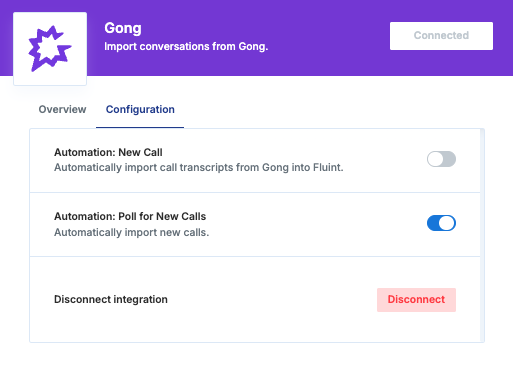
That's it! Fluint will perform a 90 day backfill for all licensed users by default. And, if Gong calls are properly mapped to opportunities in your CRM, then Fluint should be able to auto-match calls to deals as well (based on the opportunity identifier Gong uses).